List of Styles: Difference between revisions
Jump to navigation
Jump to search
No edit summary |
No edit summary |
||
| Line 44: | Line 44: | ||
order = descending | order = descending | ||
include=%0[250] | include=%0[250] | ||
format={|class=wikitable\n! | format={|class=wikitable\n!Code\n!Description\n|-,\n|\n[[%PAGE%|%TITLE%]],\n|-,\n|} | ||
secseparators=\n|\n, | secseparators=\n|\n, | ||
</DPL> | </DPL> | ||
__NOTOC____NOEDITSECTION__ | __NOTOC____NOEDITSECTION__ | ||
Revision as of 08:28, 11 July 2025
Styles are options that can be applied to one, many or all windows. A Style is applied to all windows whose name, title, class or resource matches the stylename. Read more: https://www.fvwm.org/Wiki/Config/Style/
Border
| Code | Description |
|---|---|
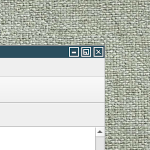 ## FILE 1: borderStyle.txt ## Styles ## Decoration..→ |
Color/Shape
| Code | Description |
|---|---|
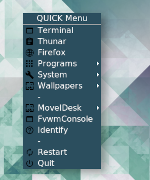 ## FILE 1: mBlue.txt ## Styles ## Color and shape for..→ |
Margin
Other