List of Styles: Difference between revisions
Jump to navigation
Jump to search
No edit summary Tag: Manual revert |
No edit summary |
||
| (4 intermediate revisions by the same user not shown) | |||
| Line 1: | Line 1: | ||
Styles | Styles, defined in the configuration file, control the appearance and behavior of windows and other elements within the Fvwm window manager. They allow for customization of window decorations, focus behavior, and more. Matching window properties, such as name, class, or resource, allows for targeted styling.<br> | ||
Read more: https://www.fvwm.org/Wiki/Config/Style/ | |||
==Border== | ==Border== | ||
<DPL> | <DPL> | ||
category=styles | category=styles | ||
category=border | category=border | ||
| Line 9: | Line 10: | ||
order = descending | order = descending | ||
include=%0[250] | include=%0[250] | ||
format={|class=wikitable\n! | format={|class=wikitable\n!Code\n!Description\n|-,\n|\n[[%PAGE%|%TITLE%]],\n|-,\n|} | ||
secseparators=\n|\n, | secseparators=\n|\n, | ||
</DPL> | </DPL> | ||
| Line 15: | Line 16: | ||
==Color/Shape== | ==Color/Shape== | ||
<DPL> | <DPL> | ||
category=styles | category=styles | ||
category=col-shape | category=col-shape | ||
| Line 22: | Line 22: | ||
order = descending | order = descending | ||
include=%0[250] | include=%0[250] | ||
format={|class=wikitable\n! | format={|class=wikitable\n!Code\n!Description\n|-,\n|\n[[%PAGE%|%TITLE%]],\n|-,\n|} | ||
secseparators=\n|\n, | secseparators=\n|\n, | ||
</DPL> | </DPL> | ||
| Line 28: | Line 28: | ||
==Margin== | ==Margin== | ||
<DPL> | <DPL> | ||
category=styles | category=styles | ||
category=margin | category=margin | ||
| Line 35: | Line 34: | ||
order = descending | order = descending | ||
include=%0[250] | include=%0[250] | ||
format={|class=wikitable\n! | format={|class=wikitable\n!Code\n!Description\n|-,\n|\n[[%PAGE%|%TITLE%]],\n|-,\n|} | ||
secseparators=\n|\n, | secseparators=\n|\n, | ||
</DPL> | </DPL> | ||
| Line 41: | Line 40: | ||
==Other== | ==Other== | ||
<DPL> | <DPL> | ||
category=styles | category=styles | ||
category=other | category=other | ||
| Line 48: | Line 46: | ||
order = descending | order = descending | ||
include=%0[250] | include=%0[250] | ||
format={|class=wikitable\n! | format={|class=wikitable\n!Code\n!Description\n|-,\n|\n[[%PAGE%|%TITLE%]],\n|-,\n|} | ||
secseparators=\n|\n, | secseparators=\n|\n, | ||
</DPL> | </DPL> | ||
__NOTOC____NOEDITSECTION__ | __NOTOC____NOEDITSECTION__ | ||
Latest revision as of 19:18, 11 July 2025
Styles, defined in the configuration file, control the appearance and behavior of windows and other elements within the Fvwm window manager. They allow for customization of window decorations, focus behavior, and more. Matching window properties, such as name, class, or resource, allows for targeted styling.
Read more: https://www.fvwm.org/Wiki/Config/Style/
Border
| Code | Description |
|---|---|
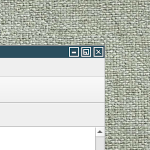 ## FILE 1: borderStyle.txt ## Styles ## Decoration..→ |
Color/Shape
| Code | Description |
|---|---|
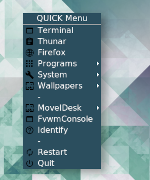 ## FILE 1: mBlue.txt ## Styles ## Color and shape for..→ |
Margin
Other