List of Menus: Difference between revisions
Jump to navigation
Jump to search
(Created page with "Menus are lists you can pop up from a binding or hook to a start menu on a panel. Menus can be used to list programs or even be created dynamically so you can list the contents of a directory, a recent applications menu, etc. Read more: https://www.fvwm.org/Wiki/Config/Menus ==List== <DPL> category=scripts category=menus debug=1 ordermethod = firstedit order = descending include=%0[350] format={|class=wikitable\n!Config\n!Description\n|-,\n|\n%TITLE%,\n|-,\n|...") |
No edit summary |
||
| (2 intermediate revisions by the same user not shown) | |||
| Line 1: | Line 1: | ||
Menus are | Menus are highly customizable elements in the F Virtual Window Manager (FVWM), allowing users to create and manage menus for launching applications, accessing system functions, and more. They are defined using the AddToMenu command, and MenuStyle and other related commands control their appearance and behavior.<br> | ||
Read more: https://www.fvwm.org/Wiki/Config/Menus | |||
==List== | ==List== | ||
<DPL> | <DPL> | ||
category=menus | category=menus | ||
debug=1 | debug=1 | ||
ordermethod = firstedit | ordermethod = firstedit | ||
order = descending | order = descending | ||
include=%0[ | include=%0[260] | ||
format={|class=wikitable\n! | format={|class=wikitable\n!Code\n!Description\n|-,\n|\n[[%PAGE%|%TITLE%]],\n|-,\n|} | ||
secseparators=\n|\n, | secseparators=\n|\n, | ||
</DPL> | </DPL> | ||
Latest revision as of 19:21, 11 July 2025
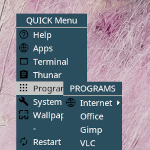
Menus are highly customizable elements in the F Virtual Window Manager (FVWM), allowing users to create and manage menus for launching applications, accessing system functions, and more. They are defined using the AddToMenu command, and MenuStyle and other related commands control their appearance and behavior.
Read more: https://www.fvwm.org/Wiki/Config/Menus
List
| Code | Description |
|---|---|
 ## FILE 1: xdgMenu.txt ##..→ |