List of Bindings: Difference between revisions
Jump to navigation
Jump to search
(Created page with "Bindings are actions/functions that can be triggered by hitting a key (or key combination) or mouse buttons. These bindings can be used to launch programs, run built-in functions (like Maximize or Iconify), or even run custom functions. Read more: https://www.fvwm.org/Wiki/Config/Bindings ==Key== <DPL> category=scripts category=bindings category=key debug=1 ordermethod = firstedit order = descending include=%0[350] format={|class=wikitable\n!Scripts\n!Description\n|-,\n...") |
No edit summary |
||
| (2 intermediate revisions by the same user not shown) | |||
| Line 1: | Line 1: | ||
Bindings | Bindings define how Fvwm, a window manager, responds to keyboard and mouse actions. They allow users to map specific actions to key presses or mouse clicks, enabling customized control over the window manager's behavior and application launching. <br> | ||
Read more: https://www.fvwm.org/Wiki/Config/Bindings | |||
==Key== | ==Key== | ||
<DPL> | <DPL> | ||
category=bindings | category=bindings | ||
category=key | category=key | ||
| Line 8: | Line 9: | ||
ordermethod = firstedit | ordermethod = firstedit | ||
order = descending | order = descending | ||
include=%0[ | include=%0[260] | ||
format={|class=wikitable\n! | format={|class=wikitable\n!Code\n!Description\n|-,\n|\n[[%PAGE%|%TITLE%]],\n|-,\n|} | ||
secseparators=\n|\n, | secseparators=\n|\n, | ||
</DPL> | </DPL> | ||
| Line 15: | Line 16: | ||
==Mouse== | ==Mouse== | ||
<DPL> | <DPL> | ||
category=bindings | category=bindings | ||
category=mouse | category=mouse | ||
| Line 21: | Line 21: | ||
ordermethod = firstedit | ordermethod = firstedit | ||
order = descending | order = descending | ||
include=%0[ | include=%0[260] | ||
format={|class=wikitable\n! | format={|class=wikitable\n!Code\n!Description\n|-,\n|\n[[%PAGE%|%TITLE%]],\n|-,\n|} | ||
secseparators=\n|\n, | secseparators=\n|\n, | ||
</DPL> | </DPL> | ||
| Line 28: | Line 28: | ||
==Key+Mouse== | ==Key+Mouse== | ||
<DPL> | <DPL> | ||
category=bindings | category=bindings | ||
category=key-mouse | category=key-mouse | ||
| Line 34: | Line 33: | ||
ordermethod = firstedit | ordermethod = firstedit | ||
order = descending | order = descending | ||
include=%0[ | include=%0[260] | ||
format={|class=wikitable\n! | format={|class=wikitable\n!Code\n!Description\n|-,\n|\n[[%PAGE%|%TITLE%]],\n|-,\n|} | ||
secseparators=\n|\n, | secseparators=\n|\n, | ||
</DPL> | </DPL> | ||
__NOTOC____NOEDITSECTION__ | __NOTOC____NOEDITSECTION__ | ||
Latest revision as of 19:23, 11 July 2025
Bindings define how Fvwm, a window manager, responds to keyboard and mouse actions. They allow users to map specific actions to key presses or mouse clicks, enabling customized control over the window manager's behavior and application launching.
Read more: https://www.fvwm.org/Wiki/Config/Bindings
Key
| Code | Description |
|---|---|
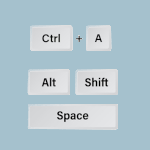 ## FILE 1: KeyBindings.txt ## Bindings ## Key commands # A = Alt # C..→ |
Mouse
| Code | Description |
|---|---|
 ##..→ | |
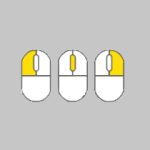 ## FILE 1:..→ |
Key+Mouse