List of Decors: Difference between revisions
Jump to navigation
Jump to search
No edit summary |
No edit summary |
||
| (3 intermediate revisions by the same user not shown) | |||
| Line 1: | Line 1: | ||
Decor refers to the window decorations or "decors". Fvwm itself is highly configurable, "decors" are the visual elements that make up the window borders and titlebars. Window Styles are divided into three categories: ButtonStyles, TitleStyles, and BorderStyles. Each of these styles controls the look of the associated piece.<br> | |||
Read more: https://www.fvwm.org/Wiki/Decor | |||
==Decor== | ==Decor== | ||
<DPL> | <DPL> | ||
| Line 7: | Line 9: | ||
order = descending | order = descending | ||
include=%0[260] | include=%0[260] | ||
format={|class=wikitable\n! | format={|class=wikitable\n!Code\n!Description\n|-,\n|\n[[%PAGE%|%TITLE%]],\n|-,\n|} | ||
secseparators=\n|\n, | secseparators=\n|\n, | ||
</DPL> | </DPL> | ||
__NOTOC____NOEDITSECTION__ | __NOTOC____NOEDITSECTION__ | ||
Latest revision as of 19:32, 11 July 2025
Decor refers to the window decorations or "decors". Fvwm itself is highly configurable, "decors" are the visual elements that make up the window borders and titlebars. Window Styles are divided into three categories: ButtonStyles, TitleStyles, and BorderStyles. Each of these styles controls the look of the associated piece.
Read more: https://www.fvwm.org/Wiki/Decor
Decor
| Code | Description |
|---|---|
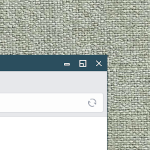 ## FILE 1: thinDec.txt ## Decors ## Title active color Colorset 40 fg #ffffff, bg..→ | |
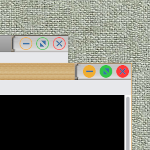 | |
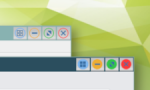 This decor ..→ |