From Fvwm Extensions (configs) Archive
Jump to navigation
Jump to search
|
|
| Line 46: |
Line 46: |
| {{HowTo}} | | {{HowTo}} |
| |- | | |- |
| <!-- HELP --> | | <!-- HELP (removed) --> |
| ! style="padding:2px" | <h2 style="margin:3px; background:#cedff2; font-family:inherit; font-size:120%; font-weight:normal; text-align:left; border:0px solid #a3b0bf; color:#000; padding:0.2em 0.4em;">Help</h2>
| | |
| |-
| |
| | style="color:#000;padding:2px 5px" |
| |
| What is Fvwm Extension Archive and how to help, click: [[How to contribute and edit?|here]]<br>
| |
| How to edit the pages, click: [[Help:Wiki Tutorial|here]]
| |
| |-
| |
| <!-- WRITE AN ARTICLE (removed) --> | | <!-- WRITE AN ARTICLE (removed) --> |
| ! style="padding:2px" | | | ! style="padding:2px" | |
Revision as of 04:00, 12 July 2025
|
Examples to use, modify, or create your own..
Currently here are 49 configs/topics. |
|
|
|
|
List of extensions
|
|
Functions
Functions can be called by Fvwm through various parts of the config. They are usually loaded during the first time run (Init).
|
Bindings
Actions that can be triggered by hitting a key (or key combination) or mouse buttons, such as minimize, maximize, close button, and win focus.
|
|
Styles
Border styles, edge scroll, mouse click, virtual desk and pages.
|
Decor
A Decor is a collection of configurations for the looks of the windows.
|
|
Colorsets
A Colorset is a collection of colors: foreground (fg), background (bg), hilight (hi), and shade (sh).
|
Modules
Modules are bits of software (programs and actions) launched from within Fvwm using the Module command to add more functionality and versatility to the Desktop.
|
|
Menus
Menus are lists you can pop up from a binding or hook to a start menu on a panel.
|
Other
Additional configs and other helpful scripts and apps for the Fvwm configuration.
|
|
|
|
| Screenshots: |
| |
|
|
|
|
|
|
| Extensions |
|
Fvwm KISe |
|
Tiling |
|
Virtual Manager |
| |
|
|
|
|
|
|
| Modern |
|
Default |
|
Xfce-Fvwm |
|
Classic |
|
|
|
|
|
|
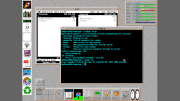
Tiling window manager performs tiling using the FvwmRearrange command. It arranges windows on the screen into non-overlapping frames, unlike the more common method of coordinate-based stacking of overlapping windows that aims to fully replicate ..→
|
|
|
|
|