Control Panel: Difference between revisions
Jump to navigation
Jump to search
(Created page with "right|150px|link=Control Panel|Image '''Control Panel''' <small>''(modules)''</small> is made of FvwmButtons. A module that provides a window of buttons that can be used to build different types of panels. The window is rectangular and can be split into different rectangular buttons of varying sizes. Each button can contain text, icons, and even Swallow other applications. In this config, '''resize, move and tiling buttons are included'''....") |
No edit summary |
||
| Line 3: | Line 3: | ||
<pre> | <pre> | ||
## FILE 1: controlPanel.txt | ## FILE 1: controlPanel.txt | ||
## Vertical/horizontal tiling | ## Vertical/horizontal tiling | ||
DestroyFun WTile | DestroyFun WTile | ||
AddToFunc WTile | AddToFunc WTile | ||
| Line 16: | Line 18: | ||
## Set small icons | ## Set small icons | ||
SetEnv smallIcons $[HOME]/icons | SetEnv smallIcons $[HOME]/.fvwm/icons | ||
Module FvwmButtons ControlPanelB | Module FvwmButtons ControlPanelB | ||
| Line 41: | Line 43: | ||
*ControlPanelB: (Title Close, Back #e55757, Action Destroy) | *ControlPanelB: (Title Close, Back #e55757, Action Destroy) | ||
*ControlPanelB: (1x1, Icon $[smallIcons]/quit-w.png, Action \ | *ControlPanelB: (1x1, Icon $[smallIcons]/quit-w.png, Action \ | ||
`Read $[HOME]/restartSDown.sys` ) | `Read $[HOME]/.fvwm/restartSDown.sys` ) | ||
# Style Setting | # Style Setting | ||
| Line 48: | Line 50: | ||
'''HOW TO''': | '''HOW TO''': | ||
Copy the code and paste it into your config. Or create FILE 1 and run the below line:<br> | Copy the code and paste it into your config. Or create FILE 1 and run the below line:<br> | ||
''Read $[HOME]/controlPanel.txt'' | ''Read $[HOME]/.fvwm/controlPanel.txt'' | ||
__NOTOC____NOEDITSECTION__ | __NOTOC____NOEDITSECTION__ | ||

Revision as of 12:01, 12 July 2025
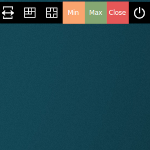
Control Panel (modules) is made of FvwmButtons. A module that provides a window of buttons that can be used to build different types of panels. The window is rectangular and can be split into different rectangular buttons of varying sizes. Each button can contain text, icons, and even Swallow other applications. In this config, resize, move and tiling buttons are included. Tiling places windows on the screen into mutually non-overlapping frames.
## FILE 1: controlPanel.txt

## Vertical/horizontal tiling

DestroyFun WTile
AddToFunc WTile
# + I FvwmRearrange -tile $0 -r -mn 2 -maximize 0 0 $[wa.width]p $[wa.height]p #(2 columns)
 + I FvwmRearrange -tile $0 -r -mn 3 -maximize 0 0 $[wa.width]p $[wa.height]p #(3 columns)

## De-tiling
DestroyFunc DeTile
AddToFunc DeTile
+ I All (CurrentPage, !Iconic, CirculateHit, !Sticky) Maximize Off
+ I WindowId $0 WarpToWindow 50 50

## Set small icons
SetEnv smallIcons $[HOME]/.fvwm/icons

Module FvwmButtons ControlPanelB

DestroyModuleConfig ControlPanelB: *
*ControlPanelB: Fore #ffffff
*ControlPanelB: Back #2b4e5e
*ControlPanelB: Geometry 360x40-0+3 #Geometry -0+0
*ControlPanelB: PressColorset 4
*ControlPanelB: Frame 0
*ControlPanelB: Rows 1
*ControlPanelB: BoxSize smart
*ControlPanelB: Font "xft:Sans:size=9:antialias=True"
*ControlPanelB: Padding 2 2

*ControlPanelB: (1x1, Icon $[smallIcons]/search-w.png, Action(Mouse 1) "Exec exec rofi -show" )

*ControlPanelB: (1x1, Icon $[smallIcons]/resize-w.png, Action Resize )
*ControlPanelB: (1x1, Icon $[smallIcons]/move-w.png, Action Move  )
*ControlPanelB: (1x1, Icon $[smallIcons]/tile-w.png, Action WTile)
*ControlPanelB: (1x1, Icon $[smallIcons]/detile-w.png, Action DeTile)
*ControlPanelB: (Title Min, Back #faa46e, Action Thumbnail )
*ControlPanelB: (Title Max, Back #85a772, Action Maximize 97 90 ) #width and hight
*ControlPanelB: (Title Close, Back #e55757, Action Destroy)
*ControlPanelB: (1x1, Icon $[smallIcons]/quit-w.png, Action \
    `Read $[HOME]/.fvwm/restartSDown.sys` )

# Style Setting
Style ControlPanelB !Borders, !Title, WindowListSkip, StaysOnTop, Sticky
HOW TO:
Copy the code and paste it into your config. Or create FILE 1 and run the below line:
Read $[HOME]/.fvwm/controlPanel.txt