4 Button Decor: Difference between revisions
Jump to navigation
Jump to search
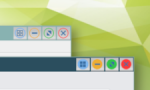
(Created page with "right|150px|link=4 Button Decor|Image '''4 Button Decor''' <small>''(decor)''</small> Inspired by QNX Decoration by having four buttons instead of the standard three buttons. An example of any number of buttons.</br> This decor utilizes the MultiPixmap option to place transitional images between the button locations and titles, achieving the above effect. right|350px|link=File:4btm-decor-action.png|Image <p...") |
No edit summary |
||
| (3 intermediate revisions by the same user not shown) | |||
| Line 1: | Line 1: | ||
[[File:4button-decor.png|right|150px|link=4 Button Decor|Image]] '''[[4 Button Decor]]''' <small>''( | [[File:4button-decor.png|right|150px|link=4 Button Decor|Image]] '''[[4 Button Decor]]''' <small>''(decors)''</small> Inspired by QNX Decoration by having four buttons instead of the standard three buttons. An example of any number of buttons.</br> | ||
This decor utilizes the MultiPixmap option to place transitional images between the button locations and titles, achieving the above effect. | This decor utilizes the MultiPixmap option to place transitional images between the button locations and titles, achieving the above effect. | ||
<pre> | <pre> | ||
## FILE 1 | ## FILE 1: button4Dec.txt | ||
## Decors | |||
## Tiling | ## Tiling | ||
| Line 13: | Line 10: | ||
DestroyFunc QTile | DestroyFunc QTile | ||
AddToFunc QTile | AddToFunc QTile | ||
+ I Read TileFunc.txt | + I Read $[HOME]/.fvwm/TileFunc.txt | ||
## Icon location | ## Icon location | ||
# | # Icons | ||
SetEnv Icons /icons/24x24 # 24px | SetEnv Icons $[HOME]/.fvwm/icons/24x24 # 24px | ||
## Colorsets | ## Colorsets | ||
| Line 78: | Line 75: | ||
<pre> | <pre> | ||
## FILE 2 | ## FILE 2: TileFunc.txt | ||
## Loaded by button4Dec.txt | ## Loaded by button4Dec.txt | ||
| Line 104: | Line 99: | ||
'''HOW TO''': | '''HOW TO''': | ||
Copy the code and paste it into your config. Or create FILE 1 and FILE 2 and run the below line:<br> | Copy the code and paste it into your config. Or create FILE 1 and FILE 2 and run the below line:<br> | ||
''Read button4Dec.txt''<br> | ''Read $[HOME]/.fvwm/button4Dec.txt''<br> | ||
---- | ---- | ||
Download icons:<br> | Download icons:<br> | ||


Latest revision as of 11:57, 12 July 2025
4 Button Decor (decors) Inspired by QNX Decoration by having four buttons instead of the standard three buttons. An example of any number of buttons.
This decor utilizes the MultiPixmap option to place transitional images between the button locations and titles, achieving the above effect.
## FILE 1: button4Dec.txt
## Decors

## Tiling

DestroyFunc QTile
AddToFunc QTile
+ I Read $[HOME]/.fvwm/TileFunc.txt

## Icon location

# Icons
SetEnv Icons $[HOME]/.fvwm/icons/24x24 # 24px

## Colorsets

#   37 - Inactive Windows
#   2 - Active Window
#   19 - Inactive Windows Borders
#   4 - Active Windows Borders
Colorset 37 fg #ffffff, bg #7194a6, hi, sh, Plain, NoShape # text
Colorset 2  fg #ffffff, bg #2b4e5e, hi, sh, Plain, NoShape # text
Colorset 19 fg #ffffff, bg #2b4e5e, hi #2b4e5e, sh #2b4e5e  # text
Colorset 4  fg black, bg #14252c, hi #24424f, sh #111f26, Plain, NoShape  # text

## Bindings:
# Window Button Locations [1 Title 8 6 4 2]
Mouse 1 2 A Close
Mouse 1 4 A Maximize
Mouse 1 6 A Thumbnail # Iconify
Mouse 1 8 A QTile # Tiling
Mouse 1 1 A Menu MenuWindowOps

## Decor:

AddToDecor 4BTMDecor
+ ButtonStyle All -- UseTitleStyle
+ BorderStyle Simple -- HiddenHandles !NoInset Raised
+ TitleStyle LeftJustified -- Flat
+ ButtonStyle All -- Flat
+ AddButtonStyle 1 \
        ActiveUp   (Pixmap $[Icons]/options-active.png   -- flat) \
        Inactive   (Pixmap $[Icons]/options-inactive.png   -- flat)
+ AddButtonStyle 2 \
        ActiveUp   (Pixmap $[Icons]/close-active.png   -- flat) \
        Inactive   (Pixmap $[Icons]/close-inactive.png   -- flat)
+ AddButtonStyle 4 \
        ActiveUp   (Pixmap $[Icons]/maximize-active.png   -- flat) \
        Inactive   (Pixmap $[Icons]/maximize-inactive.png   -- flat)
+ AddButtonStyle 6 \
        ActiveUp   (Pixmap $[Icons]/iconify-active.png   -- flat) \
        Inactive   (Pixmap $[Icons]/iconify-inactive.png   -- flat)
+ AddButtonStyle 8 \
        ActiveUp   (Pixmap $[Icons]/tile-active.png   -- flat) \
        Inactive   (Pixmap $[Icons]/tile-inactive.png   -- flat)
+ ButtonStyle All - Clear
+ TitleStyle Centered Height 26

## Style setting

Style * Colorset 37, HilightColorset 2, \
        BorderColorset 37, HilightBorderColorset 19, \
        BorderWidth 1, HandleWidth 2, \
        FvwmBorder, FirmBorder, \
        MWMButtons, UseDecor 4BTMDecor
Style * Font "xft:Sans:size=12:minspace=False:antialias=True"

## Special Rules
Style * Handles, BorderWidth 1, HandleWidth 2
## FILE 2: TileFunc.txt
## Loaded by button4Dec.txt

## Vertical/horizontal tiling
## 3 columns

FvwmRearrange -tile $0 -r -mn 3 -maximize 0 0 $[wa.width]p $[wa.height]p

## De-Tiling

DestroyFunc DeQTile
AddToFunc DeQTile
+ I All (CurrentPage, !Iconic, CirculateHit, !Sticky) Maximize Off
+ I WindowId $0 WarpToWindow 50 50
+ I PipeRead 'echo Mouse 1 8 A QTile'

## Change QTile to DeQTile
## To use same Tile button.

Mouse 1 8 A DeQTile ## left-click title bar tile-icon
HOW TO:
Copy the code and paste it into your config. Or create FILE 1 and FILE 2 and run the below line:
Read $[HOME]/.fvwm/button4Dec.txt
Download icons:
https://rasatpc.net/download/icons/4btm-decor-icons.zip