Expose List: Difference between revisions
Jump to navigation
Jump to search
No edit summary |
No edit summary |
||
| Line 36: | Line 36: | ||
</pre> | </pre> | ||
---- | ---- | ||
Copy the code and paste it into your config. Or create FILE 1 and run the below line:<br> | Copy the code and paste it into your config. Or create FILE 1 and run the below line:<br> | ||
''Read fvwmExposeList.txt'' | ''Read $[HOME]/fvwmExposeList.txt'' | ||
[[Category:functions]] | [[Category:functions]] | ||
[[Category:action]] | [[Category:action]] | ||
[[Category:codes]] | [[Category:codes]] | ||
Revision as of 18:14, 11 July 2025
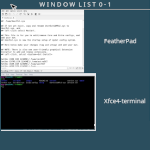
Expose List (functions) use the tools from ImageMagick to take screenshots of an open window and then use it for an icon. Inspired by Taviso’s WindowList function – FvwmExpose:
## FILE 1
## Functions: fvwmExposeList.txt
## Inspired by Taviso’s WindowList function – FvwmExpose
## https://zensites.net/fvwm/guide/advanced_functions.html

## Set cache location

SetEnv cacheExp $[HOME]/cache

## Thumbnail Panel

DestroyFunc FvwmExpose

AddToFunc FvwmExpose
+ I Current InfoStoreAdd CURRENTWINDOW $[w.id]
+ I AddToMenu FvwmExposeMenu " W I N D O W  L I S T  Desk $[desk.n] | Page $[page.nx] - $[page.ny]"  Title
+ I + DynamicPopDownAction DestroyMenu FvwmExposeMenu
+ I All (!Fvwm*, !Bru*, !Tool*, !Xfce4-panel*, CurrentPage, !Shaded, AcceptsFocus)\
    PipeRead "echo Raise; \
        xwd -silent -id $[w.id] | convert -scale $$(($[w.width]/4)) -quality 0 xwd:- \
        png:$[cacheExp]/icon.exp.$[w.id].png \
    && echo AddToMenu FvwmExposeMenu \
    %$[cacheExp]/icon.exp.$[w.id].png%\\\'\"   $[w.class]  \"\\\' WindowID $[w.id] WarpToWindow 50 50 \
        && echo AddToMenu FvwmExposeMenu \\\"\\\" Nop \
    || Nop"
+ I WindowId $[infostore.CURRENTWINDOW] WarpToWindow 400p 50p
+ I Popup FvwmExposeMenu Colorset 6
+ I Exec exec rm -f $[cacheExp]/icon.exp.*

## Key Binding

Mouse 2 R A FvwmExpose # Mouse middle-click anywhere on the desk.
Mouse 1 I A Iconify off # One click deiconify.
Copy the code and paste it into your config. Or create FILE 1 and run the below line:
Read $[HOME]/fvwmExposeList.txt