Extended Right Panel: Difference between revisions
Jump to navigation
Jump to search
No edit summary |
No edit summary |
||
| Line 3: | Line 3: | ||
<pre> | <pre> | ||
## FILE 1: exRPanel.txt | ## FILE 1: exRPanel.txt | ||
## Modules | |||
SetEnv logo-icon $HOME]/icons | SetEnv logo-icon $[HOME]/.fvwm/icons | ||
Module FvwmButtons ExRightPanel | Module FvwmButtons ExRightPanel | ||
| Line 30: | Line 31: | ||
'''HOW TO''': | '''HOW TO''': | ||
Copy the code and paste it into your config. Or create FILE 1 and run the below line:<br> | Copy the code and paste it into your config. Or create FILE 1 and run the below line:<br> | ||
''Read $[HOME]/exRPanel.sys'' | ''Read $[HOME]/.fvwm/exRPanel.sys'' | ||
__NOTOC____NOEDITSECTION__ | __NOTOC____NOEDITSECTION__ | ||
Latest revision as of 12:02, 12 July 2025
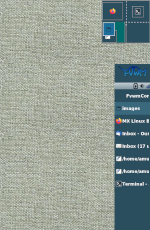
Extended Right Panel (modules) is a a modified Right Panel of the default Fvwm.
## FILE 1: exRPanel.txt
## Modules

SetEnv logo-icon $[HOME]/.fvwm/icons

Module FvwmButtons ExRightPanel

DestroyModuleConfig ExRightPanel:*
*ExRightPanel: Geometry 91x$[vp.height]-0+178
*ExRightPanel: Colorset 10
*ExRightPanel: Rows $[vp.height]
*ExRightPanel: Frame 0
*ExRightPanel: (91x40, Icon "$[logo-icon]/fvwm-logo-small.png", Frame 0)
*ExRightPanel: (91x10, ActiveColorset 12, Frame 0)

Test (x stalonetray) *ExRightPanel: (91x20, Swallow(NoClose,UseOld) \
    stalonetray 'Exec exec stalonetray --config \
    "$[FVWM_DATADIR]/default-config/.stalonetrayrc"', Frame 0)

PipeRead 'echo "*ExRightPanel: (91x$(($[vp.height]-325)), \
    Top, Swallow FvwmIconMan \'Module FvwmIconMan\', Frame 0)"'

*ExRightPanel: (91x10, Frame 0)
*ExRightPanel: (91x10, Frame 0)

Style ExRightPanel !Borders, !Title, WindowListSkip, Sticky, StaysOnTop
HOW TO:
Copy the code and paste it into your config. Or create FILE 1 and run the below line:
Read $[HOME]/.fvwm/exRPanel.sys