List of Functions: Difference between revisions
Jump to navigation
Jump to search
No edit summary |
No edit summary |
||
| Line 3: | Line 3: | ||
==Startup== | ==Startup== | ||
<DPL> | <DPL> | ||
category=functions | category=functions | ||
category=startup | category=startup | ||
| Line 16: | Line 15: | ||
==Action== | ==Action== | ||
<DPL> | <DPL> | ||
category=functions | category=functions | ||
category=action | category=action | ||
| Line 29: | Line 27: | ||
==Info== | ==Info== | ||
<DPL> | <DPL> | ||
category=functions | category=functions | ||
category=info | category=info | ||
Revision as of 09:01, 10 July 2025
Functions can be called by FVWM through various parts of the config. Provides a number of functions to start modules or applications when initialising, restarting, or exiting the window manager. Read more: https://www.fvwm.org/Wiki/Config/Functions/
Startup
| Script | Description |
|---|---|

Window Position (functions) runs after Fvwm has loaded. It places the window or dialog box on the desk that is convenient for the user.
## FILE 1:..→ | |
| Init Manager (functions) runs after Fvwm has loaded. It is placed at the beginning of ~/.fvwm/config or local.config. This script starts wifi, screen brightness ..→ |
Action
| Script | Description |
|---|---|
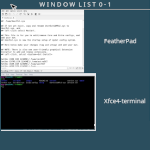
| Expose List (functions) use the tools from ImageMagick to take screenshots of an open window and then use it for an icon. Inspired by Taviso’s WindowList function – ..→ | |
| Desk Launcher (functions) is an application launcher. Normally, an icon represents a minimized application. If you want to turn that around, launch functions or ..→ | |
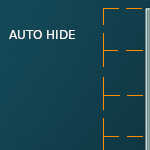
| Auto Hide Windows (functions) allows withdrawing a window to a location where it does not use precious desktop space. Simply add any windows you like to the ..→ | |
|
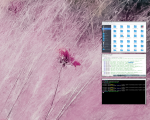
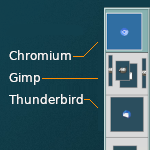
Window Thumbnail (functions) take a screenshot of an application window when it’s iconified, resize it, and use it as the application’s icon.
Needs ImageMagick and ..→ | |
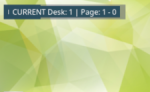
| Page Indicator (functions) a horizontal Desk and page indicator shows the desk number and indicates which page is currently being displayed. Requires a mouse ..→ | |
| Auto Move Windows (functions) allows you to set applications to load in pre-assigned pages (workspaces) rather in the currently active page. Inspired by Gnome ..→ |
Info