List of Styles: Difference between revisions
Jump to navigation
Jump to search
No edit summary Tag: Manual revert |
No edit summary |
||
| Line 2: | Line 2: | ||
==Border== | ==Border== | ||
<DPL> | <DPL> | ||
category=styles | category=styles | ||
category=border | category=border | ||
| Line 15: | Line 14: | ||
==Color/Shape== | ==Color/Shape== | ||
<DPL> | <DPL> | ||
category=styles | category=styles | ||
category=col-shape | category=col-shape | ||
| Line 28: | Line 26: | ||
==Margin== | ==Margin== | ||
<DPL> | <DPL> | ||
category=styles | category=styles | ||
category=margin | category=margin | ||
| Line 41: | Line 38: | ||
==Other== | ==Other== | ||
<DPL> | <DPL> | ||
category=styles | category=styles | ||
category=other | category=other | ||
Revision as of 15:31, 10 July 2025
Styles are options that can be applied to one, many or all windows. A Style is applied to all windows whose name, title, class or resource matches the stylename. Read more: https://www.fvwm.org/Wiki/Config/Style/
Border
| Script | Description |
|---|---|
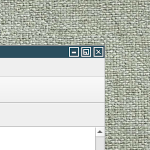 ## FILE 1: borderStyle.txt ## Styles ## Decoration..→ |
Color/Shape
| Script | Description |
|---|---|
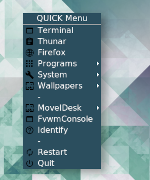 ## FILE 1: mBlue.txt ## Styles ## Color and shape for..→ |
Margin
Other