Task Flux Panel: Difference between revisions
Jump to navigation
Jump to search
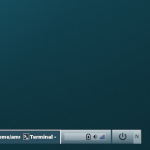
(Created page with "right|150px|link=Task Flux Panel|Image '''Task Flux Panel''' <small>''(module)''</small> is made of FvwmButtons. The main panel building modules that lay out a panel into a series of buttons, such as this taskbar based on Fluxbox. <pre> ## FILE 1: taskBFlux.txt KillModule FvwmButtons *RightPanel DestroyMenu MenuStart AddToMenu MenuStart Test (x xfce4-appfinder) + "Apps " Exec exec xfce4-appfinder + "-" Nop + "Restart " Restart + "Quit " Modul...") |
No edit summary |
||
| Line 1: | Line 1: | ||
[[File:task-flux.png|right|150px|link=Task Flux Panel|Image]] '''[[Task Flux Panel]]''' <small>''( | [[File:task-flux.png|right|150px|link=Task Flux Panel|Image]] '''[[Task Flux Panel]]''' <small>''(modules)''</small> is made of FvwmButtons. The main panel building modules that lay out a panel into a series of buttons, such as this taskbar based on Fluxbox. | ||
<pre> | <pre> | ||

Revision as of 16:16, 11 July 2025
Task Flux Panel (modules) is made of FvwmButtons. The main panel building modules that lay out a panel into a series of buttons, such as this taskbar based on Fluxbox.
## FILE 1: taskBFlux.txt
KillModule FvwmButtons *RightPanel

DestroyMenu MenuStart
AddToMenu MenuStart
Test (x xfce4-appfinder) + "Apps " Exec exec xfce4-appfinder
+ "-" Nop
+ "Restart " Restart
+ "Quit " Module FvwmScript FvwmScript-ConfirmQuit

## Taskbar

Module FvwmButtons TaskButtonsFlux

DestroyModuleConfig TaskButtonsFlux: *
*TaskButtonsFlux: Geometry 1020x36-450-18
*TaskButtonsFlux: Colorset 111
*TaskButtonsFlux: PressColorset 4
*TaskButtonsFlux: Frame 0
*TaskButtonsFlux: Rows 1
*TaskButtonsFlux: Font "xft:Sans:size=10:antialias=True"
*TaskButtonsFlux: Padding 0 0

## Check fluxNorth.txt
## Check fluxSouth.txt

## Style setting
Style TaskButtonsFlux !Borders, !Title, WindowListSkip, StaysOnTop, Sticky
## FILE 2: fluxSouth.txt

SetEnv tpc-image $[HOME]/icons

KillModule FvwmButtons TaskButtonsFlux
Read taskBFlux.txt

*TaskButtonsFlux: (1x1, Colorset 4)
*TaskButtonsFlux: (70x1, Icon $[tpc-image]/Fvwm-58x20.png, Colorset 363,  ActionOnPress, Action(Mouse 1) Menu MenuStart Rectangle -1450-42 0 -111m)

*TaskButtonsFlux: (380x1, Swallow FvwmIconMan 'Module FvwmIconMan', Frame 2)
Test (x stalonetray) *TaskButtonsFlux: (70x1, Colorset 363, Swallow(NoClose,UseOld) \
    stalonetray 'Exec exec stalonetray --config \
    "$[FVWM_DATADIR]/default-config/.stalonetrayrc"' )

*TaskButtonsFlux: (3x1, Colorset 363)
*TaskButtonsFlux: (2x1, Colorset 0)
*TaskButtonsFlux: (31x1, Icon $[tpc-image]/quit-25x25.png, Colorset 363, Action \
    `Read restartSDown.sys` )

*TaskButtonsFlux: (10x1, Title N, Colorset 365, Action(Mouse 1) `Read fluxNorth.txt`)
*TaskButtonsFlux: (1x1, Colorset 4)
Example: Copy config and run the below lines:
Read fluxSouth.txt