QNX Decor: Difference between revisions
Jump to navigation
Jump to search
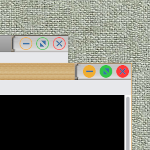
(Created page with "right|150px|link=QNX Decor|Image '''QNX Decor''' <small>''(decor)''</small> This decor makes use of the MultiPixmap option to place transitional images between the button locations and titles. This decor requires a collection of images for the buttons.</br> https://www.fvwm.org/Wiki/Decor/QNX/ <pre> ## FILE 1 ## Decor: qnx-decor.txt # SetEnv Icons /icons # 20px SetEnv Icons /icons # 30px ## Colorsets # 5 - Inactive Windows # 2 - Active...") |
No edit summary |
||
| Line 69: | Line 69: | ||
'''HOW TO''': | '''HOW TO''': | ||
Copy the code and paste it into your config. Or create FILE 1 and run the below line:<br> | Copy the code and paste it into your config. Or create FILE 1 and run the below line:<br> | ||
''Read qnx-decor.txt''<br> | ''Read $[HOME]/qnx-decor.txt''<br> | ||
---- | ---- | ||
Download icons:<br> | Download icons:<br> | ||

Revision as of 18:26, 11 July 2025
QNX Decor (decor) This decor makes use of the MultiPixmap option to place transitional images between the button locations and titles. This decor requires a collection of images for the buttons.
https://www.fvwm.org/Wiki/Decor/QNX/
## FILE 1
## Decor: qnx-decor.txt

# SetEnv Icons /icons # 20px
SetEnv Icons /icons # 30px

## Colorsets

#   5 - Inactive Windows
#   2 - Active Window
#   3 - Inactive Windows Borders
#   4 - Active Windows Borders
Colorset 5 fg #000000, bg #000000 # text
Colorset 2 fg #000000, bg #5a5a5a # text
Colorset 3 fg #000000, bg #505050 # frame
Colorset 4 fg #000000, bg #deb274 # frame

## Binding:

# Window Button Locations [1 Title 6 4 2]
Mouse 1 2 A Close
Mouse 1 4 A Maximize
Mouse 1 6 A Thumbnail # Iconify
Mouse 1 1 A Menu MenuWindowOps

## Decor:

AddToDecor QNXDecor
+ TitleStyle Active MultiPixmap \
        Main     $[Icons]/title-woodMd32-active.png, \
        LeftEnd  $[Icons]/title-leftend-active.png, \
        RightEnd $[Icons]/title-rightend-active.png
+ TitleStyle Inactive MultiPixmap \
        Main     $[Icons]/title-main-inactive.png, \
        LeftEnd  $[Icons]/title-leftend-inactive.png, \
        RightEnd $[Icons]/title-rightend-inactive.png
+ ButtonStyle All -- UseTitleStyle
+ BorderStyle Simple -- HiddenHandles !NoInset Raised
+ TitleStyle LeftJustified -- Flat
+ ButtonStyle All -- Flat
+ AddButtonStyle 1 \
        ActiveUp   (Pixmap $[Icons]/options-active.png   -- flat) \
        Inactive   (Pixmap $[Icons]/options-inactive.png   -- flat)
+ AddButtonStyle 2 \
        ActiveUp   (Pixmap $[Icons]/close-active.png   -- flat) \
        Inactive   (Pixmap $[Icons]/close-inactive.png   -- flat)
+ AddButtonStyle 4 \
        ActiveUp   (Pixmap $[Icons]/maximize-active.png   -- flat) \
        Inactive   (Pixmap $[Icons]/maximize-inactive.png   -- flat)
+ AddButtonStyle 6 \
        ActiveUp   (Pixmap $[Icons]/iconify-active.png   -- flat) \
        Inactive   (Pixmap $[Icons]/iconify-inactive.png   -- flat)
+ ButtonStyle All - Clear
+ TitleStyle Centered Height 30
# + TitleStyle Centered Height 20 # QNX

Style * Colorset 5, HilightColorset 2, \
        BorderColorset 3, HilightBorderColorset 4, \
        BorderWidth 1, HandleWidth 0, \
        FvwmBorder, FirmBorder, \
        MWMButtons, UseDecor QNXDecor
Style * Font "xft:Sans:size=12:minspace=False:antialias=True"
HOW TO:
Copy the code and paste it into your config. Or create FILE 1 and run the below line:
Read $[HOME]/qnx-decor.txt
Download icons:
https://rasatpc.net/download/icons/qnx-decor-icons.zip