Wifi Sound Tray: Difference between revisions
Jump to navigation
Jump to search
No edit summary |
No edit summary |
||
| Line 3: | Line 3: | ||
<pre> | <pre> | ||
## FILE 1: wifiSound.txt | ## FILE 1: wifiSound.txt | ||
## Modules | |||
Module FvwmButtons WifiSnd | Module FvwmButtons WifiSnd | ||
| Line 27: | Line 28: | ||
'''HOW TO''': | '''HOW TO''': | ||
Copy the code and paste it into your config. Or create FILE 1 and run the below line:<br> | Copy the code and paste it into your config. Or create FILE 1 and run the below line:<br> | ||
''Read $[HOME]/.fvwm/wifiSound.txt'' | |||
[[Category:modules]] | [[Category:modules]] | ||
[[Category:other]] | [[Category:other]] | ||
[[Category:codes]] | [[Category:codes]] | ||
Latest revision as of 12:15, 12 July 2025
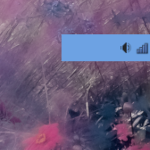
Wifi Sound Tray (modules) A simple wifi, sound and other loaded device icon holder.
## FILE 1: wifiSound.txt
## Modules

Module FvwmButtons WifiSnd

DestroyModuleConfig WifiSnd: *
*WifiSnd: Geometry 100x30-0-128
*WifiSnd: Back #6da2e3
*WifiSnd: Frame 0
*WifiSnd: Rows 1
#*WifiSnd: Padding 0 0

Test (x stalonetray) *WifiSnd: (100x1, Back #6da2e3, Swallow(NoClose,UseOld) \
    stalonetray 'Exec exec stalonetray --config \
    "$[FVWM_DATADIR]/default-config/.stalonetrayrc"' )

*WifiSnd: (10x1, Back #6da2e3)

## Style setting
Style WifiSnd !Borders, !Title, WindowListSkip, Sticky, StaysOnTop

Style WifiSnd NoTitle
HOW TO:
Copy the code and paste it into your config. Or create FILE 1 and run the below line:
Read $[HOME]/.fvwm/wifiSound.txt