Install Fvwm: Difference between revisions
Jump to navigation
Jump to search

No edit summary |
No edit summary |
||
| Line 32: | Line 32: | ||
</br> | </br> | ||
</br> | </br> | ||
</br> | </br> | ||
Revision as of 15:58, 13 July 2025

This page provides the basic information on how to install Fvwm3 on different Linux distros
HOW TO INSTALL on MX Linux
A. INSTALL Fvwm3
sudo apt-get install fvwm3
View documentation, XDG menu, and Network:
sudo apt-get install asciidoctor xterm python3-xdg stalonetray
Required by Extension Installer and thumbnails:
sudo apt install yad gawk sed wget imagemagick-common
Adjust screen resolution and add volume icon:
sudo apt install x11-utils volumeicon-alsa
Search app:
sudo apt install rofi xfce4-appfinder
Look & Feel:
sudo apt install lxappearance
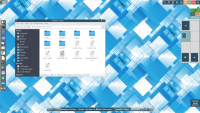
B. LOGOUT and select Fvwm3 on the Window Manager's login panel. After loading, the default Fvwm appears:
