Border Style

From Fvwm Extensions (configs) Archive
Revision as of 15:44, 8 July 2025 by Admin (talk | contribs) (Created page with "right|150px|link=Border Style|Image '''Border Style''' <small>''(style)''</small> are similar to TitleStyle and ButtonStyle but have far fewer options. <pre> ## FILE 1: borderStyle.txt ## Styling ## Decoration Styles Style * TitleAtTop Style * ResizeHintOverride Style * Colorset 1, HilightColorset 0 # inactive and active title bar Style * BorderColorset 1, HilightBorderColorset 4 ## Special Rules Style * Title, !Handles, BorderWidth 1, Han...")
(diff) ← Older revision | Latest revision (diff) | Newer revision → (diff)
Jump to navigation Jump to search
Image

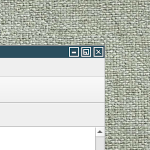
Border Style (style) are similar to TitleStyle and ButtonStyle but have far fewer options.

## FILE 1: borderStyle.txt
## Styling

## Decoration Styles
Style * TitleAtTop
Style * ResizeHintOverride

Style * Colorset 1, HilightColorset 0 # inactive and active title bar
Style * BorderColorset 1, HilightBorderColorset 4

## Special Rules
Style * Title, !Handles, BorderWidth 1, HandleWidth 0

HOW TO:
Copy the script and paste it into your config. Or create FILE 1 and run the below line:
Read borderStyle.txt


Read more:
https://www.fvwm.org/Wiki/Config/Decor/#borderstyle