Page Indicator
Jump to navigation
Jump to search
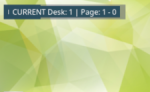
Page Indicator (function) a horizontal Desk and page indicator shows the desk number and indicates which page is currently being displayed. Requires a mouse click to display the numbers.
## FILE 1
## Functions: deskPgNo.txt

ColorSet 15 RootTransparent Buffer, Tint #4A516A 50, fg white, bg black

DestroyFunc DeskPgNo
AddToFunc DeskPgNo
+ I Current InfoStoreAdd CURRENTWINDOW $[w.id]
+ I AddToMenu DeskNoMenu "  CURRENT Desk: $[desk.n] | Page: $[page.nx] - $[page.ny]  "  Title
+ I + DynamicPopDownAction DestroyMenu DeskNoMenu
+ I WindowId $[infostore.CURRENTWINDOW] WarpToWindow 50 50
+ I Popup DeskNoMenu Colorset 6

## Desk Number Panel

Module FvwmButtons NoDeskI
DestroyModuleConfig NoDeskI: *
*NoDeskI: Geometry 264x32+8+10
*NoDeskI: Fore #ffffff
*NoDeskI: Rows 1
*NoDeskI: Pixmap none
*NoDeskI: Frame 0
*NoDeskI: (80x1, Title "DESK NO:", Font "xft:Sans:Bold:size=10:antialias=True", Back #2c4e5e)
*NoDeskI: (50x1, Title "click", Action DeskPgNo, Colorset 15)
*NoDeskI: (134x1, Action DeskPgNo, Back #cadfdb, Colorset 15)

Style NoDeskI !Title, !Borders, WindowListSkip, Sticky
HOW TO:
Copy the code and paste it into your config. Or create FILE 1 and run the below line:
Read deskPgNo.txt'