Window Thumbnail
Jump to navigation
Jump to search
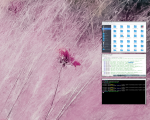
Window Thumbnail (functions) take a screenshot of an application window when it’s iconified, resize it, and use it as the application’s icon.
Needs imagemagick and x11-apps for this function to work. It takes a snapshot of the window before it is iconified, and then assigns the icon to the iconified window.
## FILE 1
## Functions: thumbnails.txt

SetEnv HOME_DIR $[HOME]/.fvwm

## Set Thumbnail cache folder

SetEnv cacheth $[HOME_DIR]/cache

## Thumbnail fuction

DestroyFunc Thumbnail
AddToFunc Thumbnail
+ I Raise
+ I ThisWindow (!Shaded, Iconifiable, !Iconic) PipeRead \
       "xwd -silent -id $[w.id] | convert -scale 156 -frame 1x1 \
       -mattecolor black -quality 0 xwd:- \
       png:$[cacheth]/icon.tmp.$[w.id].png \
       && echo WindowStyle IconOverride, \
       Icon $[cacheth]/icon.tmp.$[w.id].png \
       || echo Nop"
+ I Iconify

DestroyFunc DeThumbnail
AddToFunc DeThumbnail
+ I Exec rm -f $[cacheth]/icon.tmp.$[w.id].png
+ I DestroyWindowStyle
*FvwmEvent: deiconify DeThumbnail
AddToFunc StartFunction I Module FvwmEvent

## Iconfy (minimize) to Thumbnail Placeholder

Style * IconBox 400x600-10+340, IconGrid 1 4, \
IconFill top right, !IconTitle, IconBackgroundRelief 0
HOW TO:
Create folder .fvwm/cache.
Copy the code and paste it into your config. Or create FILE 1 and run the below line:
Read thumbnail.txt
READ MORE
https://www.fvwm.org/Archive/Faq/#using-application-screenshots-as-icon-or-mini-icon-thumbnails