Key Bindings
Jump to navigation
Jump to search

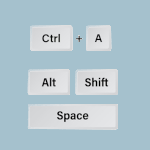
Key Binding (bindings) launches programs, runs built-in functions (like Maximize and Iconify).
## FILE 1
## Bindings: KeyBindings.txt

## Key commands
# A = Alt
# C = Control
# S = Shift
# M = Meta (Alt)
# Super = WinIcon

## KEY-MOUSE BINDINGS (untag below lines)

# Silent Key z A M Move # alt-z (letter)
# Silent Key F8 A C Resize # ctrl-F8
# Silent Key Space A M Thumbnail # alt-space
# Silent Key m A M Maximize 97 90 # alt-m
# Silent Key x A M Destroy # alt-x

## Maximize alt-m
Silent Key m A M Maximize 100 100 # width height

## Minimize (thumbnail) alt-t
Silent Key t A M Thumbnail

## Close alt-x
Silent Key x A M Close
HOW TO:
Copy the code and paste it into your config. Or create FILE 1 and run the below line:
Read kBinding.txt
Read more: https://www.fvwm.org/Wiki/Config/Bindings/