Auto Move Windows
Jump to navigation
Jump to search
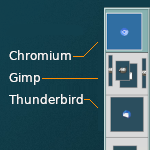
Auto Move Windows (functions) allows you to set applications to load in pre-assigned pages (workspaces) rather in the currently active page. Inspired by Gnome extension "Auto Move Windows" by fmuellner.
## FILE 1: autoMoveW.txt
## Functions

##		APPS		COMMAND			DESK/PAGE		LOCATION
## --------------------------------------------------------------------

Style	Chromium	StartsOnPage	0 0 0			# desk 0 page-left side
Style	*Firefox 	StartsOnPage	0 1 0			# desk 0 page-right side
# Style	Evolution	StartsOnPage	1 0 0			# desk 1 page-left
# Style	"Mozilla Thunderbird" StartsOnPage	1 1 0	# desk 1 page-right
# Style	Gimp		StartsOnPage	2 0 0			# desk 2 page-left
# Style	scribus		StartsOnPage	2 1 0			# desk 2 page-right
HOW TO:
Copy the code and paste it into your config. Or create FILE 1 and run the below line:
Read $[HOME]/.fvwm/autoMoveW.txt