Control Pager
Jump to navigation
Jump to search
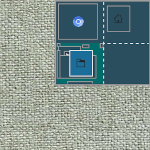
Control Pager (modules) is made of FvwmButtons. Miniature view of desktops (2x4).
## FILE 1: controlPg.txt
## Modules

## Pager

# Virtual Desktop
DesktopSize "2x2"

Module FvwmButtons ControlPagerB

DestroyModuleConfig ControlPagerB: *
*ControlPagerB: Fore #ffffff
*ControlPagerB: Back #2b4e5e
*ControlPagerB: Geometry 130x115-0+0
*ControlPagerB: Frame 0
*ControlPagerB: Rows 1
*ControlPagerB: BoxSize smart
*ControlPagerB: Font -*-helvetica-medium-r-*-*-12-*
*ControlPagerB: Padding 2 2

*ControlPagerB: (4x1, Swallow "FvwmPager" `FvwmPager *`, Frame 0)

# Style Setting
Style ControlPagerB Borders, BorderWidth 3, BorderColorset 10, NoTitle, WindowListSkip, Sticky, !Handles, StaysOnTop, !Iconifiable, FixedSize
Copy the code and paste it into your config. Or create FILE 1 and run the below line:
Read $[HOME]/.fvwm/controlPg.sys