List of Modules: Difference between revisions
Jump to navigation
Jump to search
No edit summary |
No edit summary |
||
| (One intermediate revision by the same user not shown) | |||
| Line 1: | Line 1: | ||
Modules are | Modules are external programs that extend the functionality of the Fvwm window manager. They interact with Fvwm through a defined interface and can perform various tasks, such as managing windows, handling user input, and providing visual feedback.<br> | ||
Read more: https://www.fvwm.org/Wiki/Modules | |||
==View== | ==View== | ||
<DPL> | <DPL> | ||
category= | category=modules | ||
category=view | category=view | ||
debug=1 | debug=1 | ||
| Line 14: | Line 16: | ||
==Panel== | ==Panel== | ||
<DPL> | <DPL> | ||
category= | category=modules | ||
category=panel | category=panel | ||
debug=1 | debug=1 | ||
| Line 26: | Line 28: | ||
==Pager== | ==Pager== | ||
<DPL> | <DPL> | ||
category= | category=modules | ||
category=pager | category=pager | ||
debug=1 | debug=1 | ||
| Line 38: | Line 40: | ||
==Other== | ==Other== | ||
<DPL> | <DPL> | ||
category= | category=modules | ||
category=other | category=other | ||
debug=1 | debug=1 | ||
Latest revision as of 19:26, 11 July 2025
Modules are external programs that extend the functionality of the Fvwm window manager. They interact with Fvwm through a defined interface and can perform various tasks, such as managing windows, handling user input, and providing visual feedback.
Read more: https://www.fvwm.org/Wiki/Modules
View
| Code | Description |
|---|---|
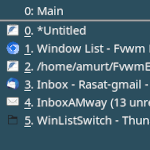 ##..→ |
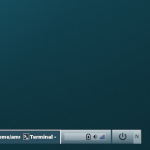
Panel
| Code | Description |
|---|---|
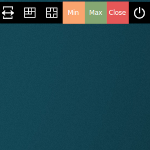 | |
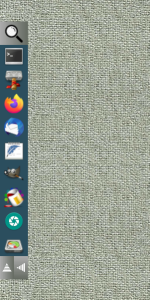 | |
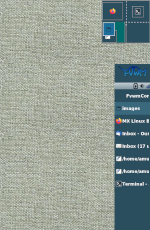 ## FILE 1: exRPanel.txt ## Modules SetEnv logo-icon $[HOME]/.fvwm/icons..→ | |
 | |
 |
Pager
| Code | Description |
|---|---|
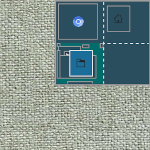 ## FILE 1: controlPg.txt ## Modules ## Pager # Virtual Desktop DesktopSize..→ | |
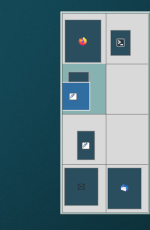 | |
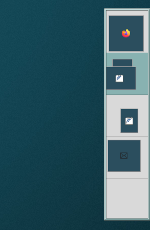 |
Other
| Code | Description |
|---|---|
 ##..→ | |
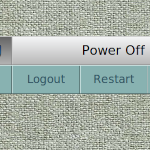 ## FILE 1: restartSDown.txt ##..→ | |
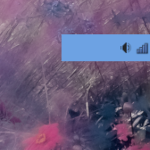 ## FILE 1: wifiSound.txt ## Modules Module FvwmButtons WifiSnd DestroyModul..→ |